

How to Choose the Perfect TV for Movies, Sports and Everyday Streaming: The Ultimate TV Buying Guide

One TV, many jobs. It needs to double as a cinema screen on Friday night, a sports bar on Saturday, and a streaming hub every other day of the week. The right pick comes down to six things: room size, picture technology, motion handling, smart platform, connectivity, and after-sales support. Here’s how to work through each one
What Should You Check Before Buying a TV?
- Screen size based on your seating distance and room layout
- Display technology suited to your room’s lighting and budget
- Motion handling and refresh rate, especially for sports and gaming
- A smart platform that supports the apps you actually use
- HDMI ports, warranty, delivery, and installation support
Step 1: What TV Size Is Right for Your Living Room?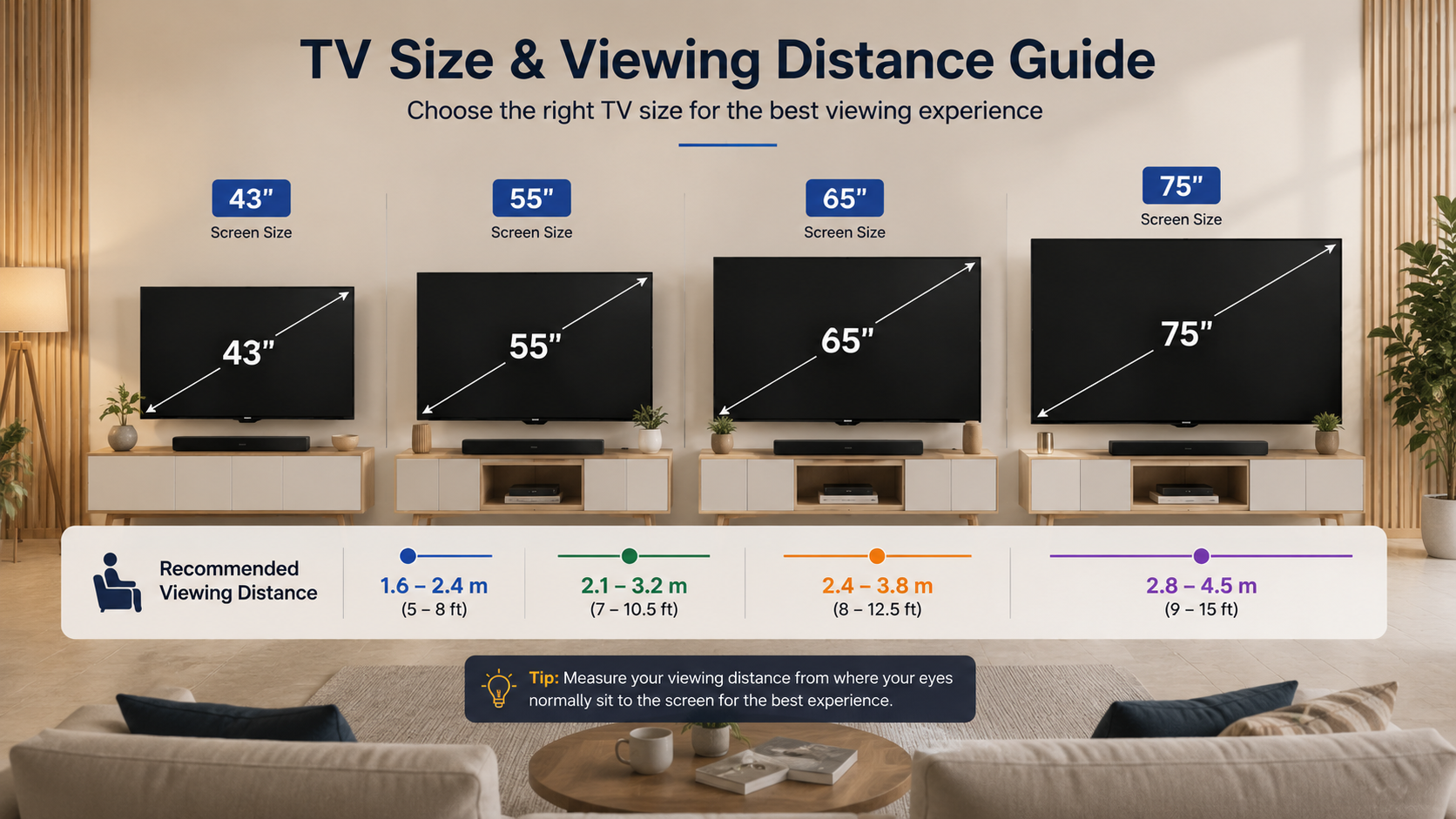
| Screen size | Best for | Keep in mind |
| 43-inch | Bedroom or compact room | Prioritise placement over size |
| 55-inch | Apartment or medium living room | A versatile balance for most homes |
| 65-inch | Larger living room | Needs more wall and console space |
| 75-inch+ | Large room or home cinema | Check delivery access and installation |
Before deciding, measure your wall space, console width, and the delivery route into your unit — a great TV is no fun if it can’t get past the lift. Browse the full TV range at Senheng to compare sizes side by side.
Step 2: LED vs QLED vs Mini-LED vs OLED — Which TV Panel Should You Choose?
No single technology wins for everyone. OLED TVs deliver deep blacks and vivid colours, making movies, dramas, and games look stunning — ideal for a darker room where you want that “cinema at home” feel. Well-lit living rooms, on the other hand, often do better with a bright QLED, Mini-LED, or QNED set that can punch through daylight glare. There’s no universally “better” panel — just the one that fits your room and budget.
Step 3: Which Picture Features Matter Most for Watching Movies?
This is where processing quietly does the heavy lifting. Take the Sony 55-inch BRAVIA 3 4K HDR Smart Google TV (K-55S30) as an example: it runs on the 4K HDR Processor X1™, which enhances signal input dynamically across a billion colours for excellent clarity and contrast, alongside Triluminos Pro™ for lifelike, vivid picture quality. Good processing matters because streaming quality varies wildly — it helps your TV make the most of whatever it’s fed.
Step 4: How to Choose a TV for Sports (Motion Handling & Refresh Rates)
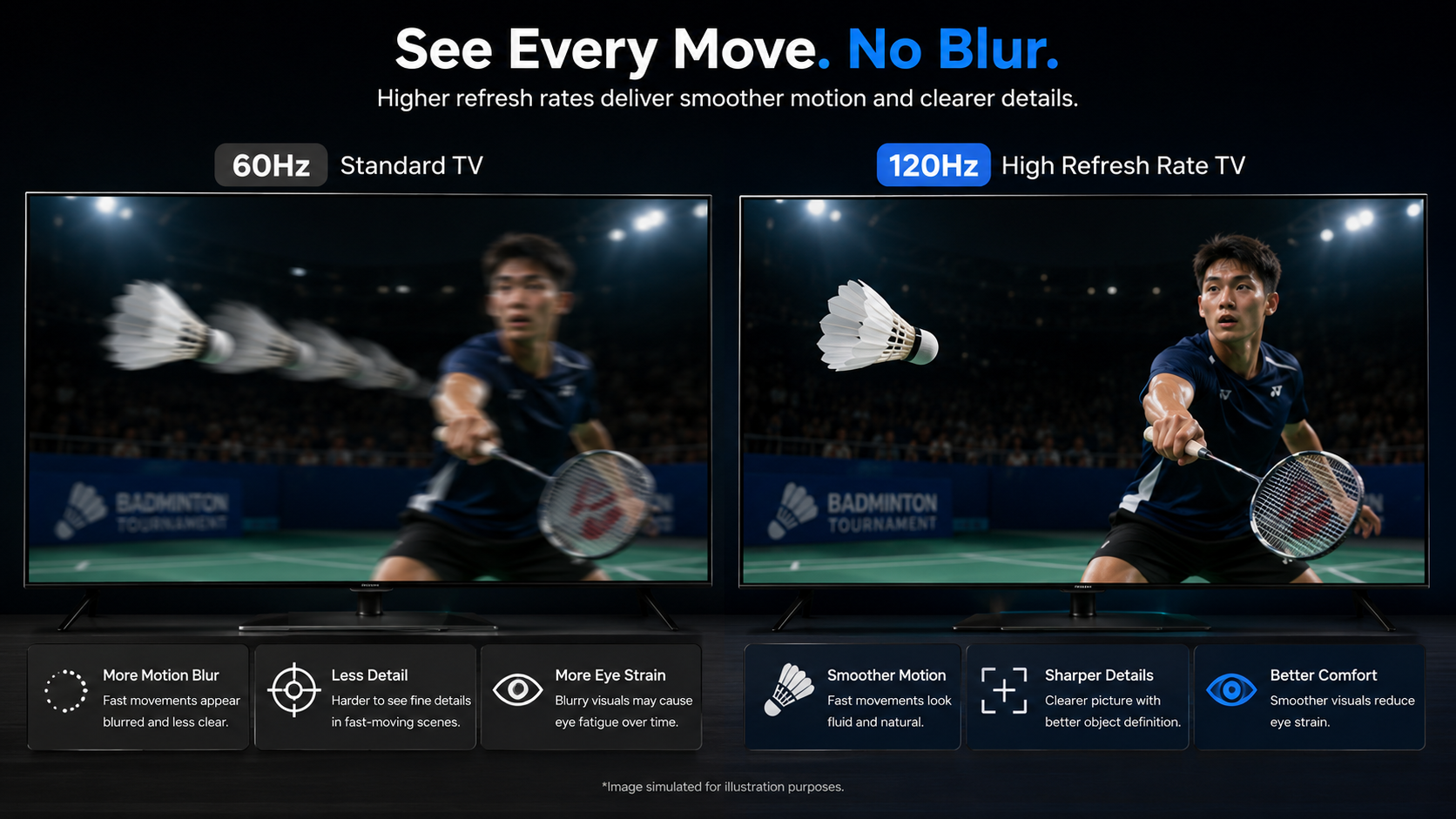
Fast breaks, badminton smashes, and MotoGP corners all expose weak motion processing fast. The BRAVIA 3’s upscaling technology helps standard broadcasts look sharper on-screen. That said, no TV can fully fix a shaky live stream — source quality and your internet connection still play a big part. If sports and gaming are a priority, look toward higher refresh-rate models like the LG 65-inch OLED evo C5, 144Hz, which handles fast motion more smoothly.
Step 5: Which Smart TV Platform Should You Pick for Streaming?
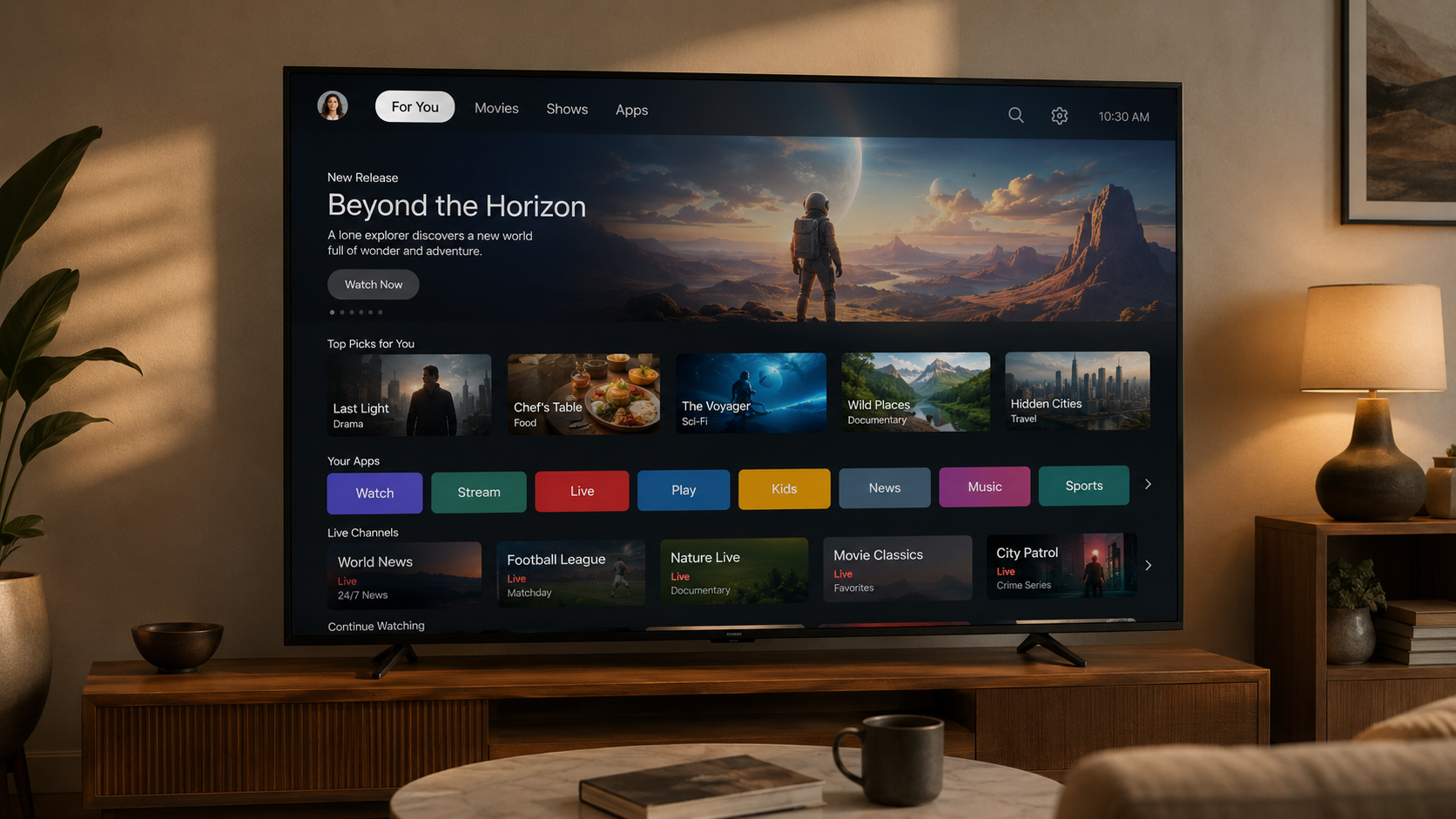
The Sony BRAVIA 3 runs on Google TV™, which brings together movies, shows, and content from across your apps and subscriptions and organises them just for you. Add Google Assistant™ for voice search, plus Chromecast built-in™ and AirPlay® 2 support for easy casting from your phone, and app-hopping becomes less of a chore.
Step 6: What Gaming and Connectivity Features Should You Check?
Casual gamers just want quick load times and a clear picture; competitive gamers care about input lag and refresh rate. The BRAVIA 3 includes Game Mode and eARC/ALLM support, which helps with smoother, more responsive gameplay — always worth double-checking against your specific console before buying.
Best TVs by Use Case: Budget, Movies, Sports and Bigger Rooms
| Need | Consider | Why |
| Lower budget | 4K UHD TVs at Senheng | Core streaming and 4K features at a friendlier price |
| Movie lover | LG 65″ OLED evo C5 (2025) | Deep blacks with Dolby Vision & HDR10 |
| Sports/gaming | LG 65″ OLED evo C5, 144Hz | Smoother motion for fast-paced content |
| Bigger room | Sony BRAVIA range (75-inch and up) | 4K processing on a larger, immersive screen |
Why Buy Your TV from Senheng?
Beyond the TV itself, Senheng offers Easy Payment Plan options, PlusOne warranty benefits, and both online delivery and in-store pickup — worth comparing alongside the TV’s price, since the total package matters more than the sticker price alone.
TV Buying Checklist Before You Place an Order
- Measure your room, wall, and delivery route
- Confirm ideal size for your seating distance
- Match display tech to your room’s lighting
- Check supported streaming apps
- Confirm refresh rate and gaming needs
- Review warranty, delivery, and payment terms
Find the Right TV for Your Home and Viewing Needs
Choosing the right TV is not just about getting the biggest screen or the latest display technology. The best choice depends on your room size, viewing distance, lighting conditions, favourite content, gaming needs, and budget.
Before buying, compare the screen size, panel technology, refresh rate, smart TV platform, connectivity options, warranty, and delivery requirements. A well-matched TV will give you a better viewing experience and better long-term value.
Explore the full range of TVs at Senheng to compare different screen sizes, technologies, and features, and find a model that suits your home, entertainment needs, and budget.
FAQs
- What should I check before buying a smart TV? Screen size, display technology, picture processing, refresh rate, smart platform, ports, and warranty.
- What TV size suits a living room? It depends on seating distance — 55-inch works for many medium rooms, while 65-inch and above suits larger spaces.
- Is OLED better than LED for movies? OLED offers deeper blacks; LED-based TVs often offer more brightness at a lower price. It comes down to your room lighting and budget.
- Is Google TV the same as a smart TV? Google TV is one type of smart TV interface that organises your apps, content, and recommendations in one place.