

Sustainable Tech Setup at Home

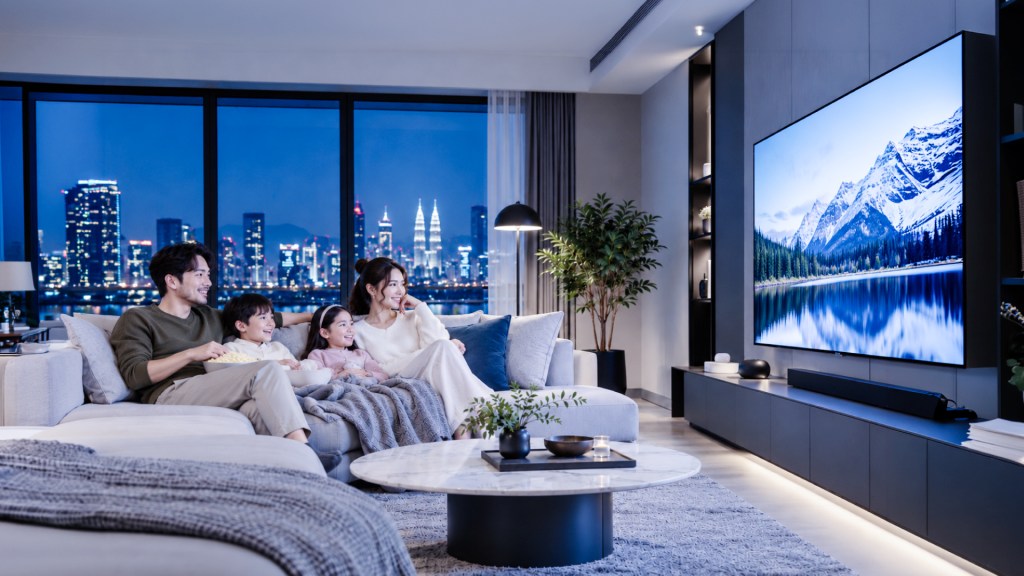
Small Changes, Smarter Living
Home is where everyday comforts come together. It is the playlist you put on while preparing dinner, the laptop that helps you finish a task and the television everyone gathers around after a busy day. Technology has become part of these familiar routines, making our homes more convenient and enjoyable.
Creating a sustainable tech setup begins with looking at those routines more closely. Which devices do you use every day? Which ones stay switched on long after you have finished with them? And when something needs replacing, what would make the next purchase useful for years to come?
A few thoughtful choices can help you build a home that feels comfortable while using technology more responsibly. From managing power settings to choosing a television that suits your space, sustainability can become part of the way you live.
Why a Sustainable Tech Setup Matters
The electricity used by household technology goes beyond the moments when we are actively using it. Some devices continue drawing power in standby, even when they appear to be switched off. Reviewing what stays connected around your home can help you identify unnecessary power use.
There is also the impact of making and disposing of electronics. Devices contain materials such as metals, glass and plastics, which require resources and energy to produce. Using working equipment for longer, considering repairs and finding suitable reuse or recycling options all deserve a place in your home technology plans.
For everyday life, this approach encourages a clearer sense of what you need. You can focus your budget on useful features, reduce the number of forgotten gadgets in cupboards and create a setup that serves your household well.
Start With the Technology You Already Own
Before making a shopping list, take a walk through your home. Look at the entertainment corner, work desk and charging area. You may discover an unused streaming device, a spare monitor or several chargers that no longer have a regular purpose.
Check whether your existing equipment still meets your needs. A television that works well may only need its settings reviewed. A laptop might benefit from an appropriate software or hardware upgrade. Assessing these possibilities gives you a better starting point for deciding what to keep, repair or replace.
When an upgrade becomes necessary, think about the practical details. Consider available space, the features your family will use and compatibility with equipment you already own. Check energy labels and published consumption figures where available, alongside purchase price and warranty coverage. These details help you make a more informed decision than appearance alone.
Simple Changes for Different Areas of Your Home
A sustainable setup becomes easier to maintain when the habits fit naturally into your day. Start with one area, make a manageable change and move on when it becomes familiar. Computer power management and suitable television brightness settings are useful places to begin.
Home Area | Simple Change | Practical Benefit |
Living Room | Turn off the TV when nobody is watching and review available brightness controls | Avoids unnecessary viewing time and excessive screen brightness |
Home Office | Enable automatic sleep settings and shut down equipment during longer periods of non-use | Reduces electricity used by idle computers and monitors |
Charging Area | Disconnect a laptop power supply after charging, following manufacturer guidance | Helps limit unnecessary connected power use |
Entertainment Corner | Review whether you still need every connected streaming device or accessory | Creates a simpler setup with fewer devices to manage |
Storage Cupboard | Identify working devices for reuse and unwanted electronics for proper recycling | Gives unused equipment a clear next destination |
Choose habits you can repeat easily. For example, checking the television before bedtime or shutting down your work computer when the day ends gives each change a familiar place in your routine.
Make Your Entertainment Setup Work Smarter
For many households, the television is the centre of the living room. It brings together weekend movies, live sports, favourite series and the occasional debate over who gets the remote. Choosing one deserves a little thought about how your household actually watches.
Built-in smart TV apps can simplify streaming by reducing the need for a separate device for that task. Before buying an additional streaming accessory, check whether the television already supports the services you use. This can make the entertainment corner easier to manage.
Picture settings also deserve attention. Automatic brightness control, where available, adjusts the screen to the surrounding light and can help reduce energy use. Explore the controls on your particular model and choose settings that suit your room.
For example, the TCL 98-inch C6K Premium QD-MiniLED TV includes an energy-saving mode that brings together brightness, adaptive brightness, dynamic brightness and inactivity controls. Having these settings accessible makes it easier to review how the television operates during everyday use.
TV Options to Consider for Your Home
If replacing your television is already part of your plans, Senheng offers several options across different screen sizes and display technologies. The choices below provide a starting point for comparing entertainment features with your household’s preferences.
Measure your available space and consider where everyone sits before choosing a screen size. A television should work comfortably with the room, furniture and viewing habits you already have.
TV | Screen Size | Key Features | Suggested Lifestyle Fit |
98 inches | 4K QLED display, VIDAA smart platform and Dolby Vision support | Spacious living rooms where family movie nights are a regular occasion | |
85 inches | QLED display, Google TV and built-in Chromecast | Households looking for a large screen with connected entertainment features | |
65 inches | 4K UHD display and Google TV | Viewers considering a smaller screen than the other options listed | |
98 inches | QD-MiniLED display, 144Hz native refresh rate and energy-saving controls | Spacious entertainment areas used for films, sports and gaming | |
75 inches | QD Mini LED display, Google TV and sound by KEF | Households interested in integrated smart entertainment and built-in audio |
QLED and Mini LED describe display technologies; they do not establish which television uses the least electricity. To compare energy use, check consumption data for the exact models under comparable conditions. Your chosen settings and viewing hours will also influence everyday use.
Care for Your Devices Over Time
Once your setup is in place, make maintenance part of the household routine. Follow the manufacturer’s cleaning and ventilation instructions, install supported software updates and keep receipts and warranty information somewhere easy to find.
A little organisation helps here. Store spare cables together, label the ones you regularly use and keep a simple record of your devices. When something goes wrong, you can find the relevant details quickly and check your service options before making a replacement decision.
Consider repair when it is practical, especially if the device still suits your needs. Good care and accessible support help you approach an upgrade with a clearer picture of what needs changing.
Give Old Technology a Useful Next Step
When new technology arrives, decide what will happen to the equipment it replaces. A working device may be suitable for a family member, donation or resale. Before passing on connected electronics, remove personal information and unlink your accounts.
For equipment that has reached the end of its useful life, look for an appropriate e-waste collection route. Malaysia’s Department of Environment advises households to send e-waste to registered collection centres or licensed recovery facilities. Its e-waste portal provides information to help you find suitable options.
Planning this step before the new device arrives can also stop another forgotten gadget from settling permanently into the cupboard.
Build a Home Setup That Suits Your Life
A sustainable tech setup grows through considered purchases and everyday habits. Keep useful devices in service, choose replacements carefully and take time to understand the settings available to you.
When you are ready to upgrade, explore televisions at Senheng and compare the features that matter to your household. Eligible purchases can also come with S-Coin rewards and an extra year of warranty, subject to applicable membership, product and promotional terms.
Whether your evening involves a family film, a favourite drama or simply switching everything off and enjoying some quiet, the best home setup is one that supports the way you live and remains useful over time.