

TV Wall Mount vs TV Stand: Which Setup Is Better for Your Home?

So you’ve finally decided to upgrade your living room TV — exciting stuff! But before the delivery guys show up with your shiny new set, there’s one decision that trips up a lot of Malaysian homeowners: should you go for a TV wall mount or stick with a trusty TV stand?
Here’s the thing — this isn’t a decision to leave until the TV is already sitting in your living room. Where your TV goes affects your cable routing, your furniture layout, your viewing height, and honestly, your family’s safety too (especially if you’ve got curious little ones or a mischievous cat at home). Let’s break it down together so you can make the right call from day one.
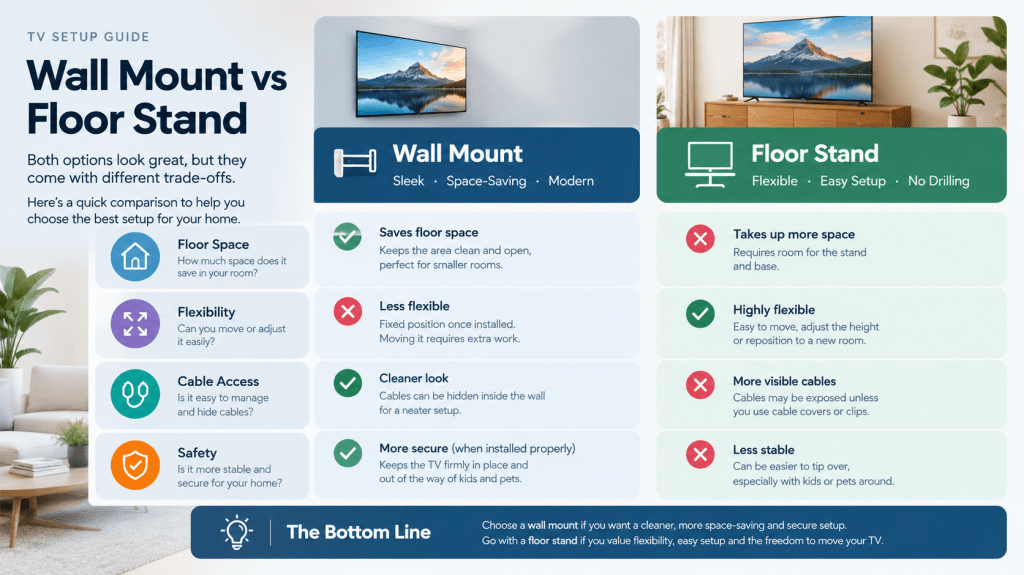
TV Wall Mount vs TV Stand at a Glance
| Factor | Wall Mount | TV Stand |
| Floor space | Saves space | Requires furniture |
| Flexibility | Lower | Higher |
| Cable access | Can be harder | Easier |
| Installation | Professional work recommended | Usually simpler |
| Child and pet safety | Good when correctly installed | Depends on anti-tip setup |
Benefits of Wall Mounting a TV
If you’re going for that sleek, hotel-suite look, a wall mount is hard to beat. It gives your living room a cleaner appearance, frees up precious floor space (perfect for smaller apartments in KL or Penang), and can help align your TV at the ideal eye level for movie nights. Done properly, it also reduces the risk of the TV being accidentally knocked or pushed off a console — something every parent with active kids will appreciate.
Potential Disadvantages of Wall Mounting
Of course, it’s not all smooth sailing. Drilling into your wall is a commitment, cable management takes a bit of planning, and reaching the ports at the back becomes trickier once it’s up. You’ll also need to check whether your wall structure can support the weight, and moving the TV later isn’t as simple as picking it up and walking.
Benefits of a TV Stand
Renting your place? A TV stand might just be your best friend. It’s easy to reposition whenever you’re rearranging the living room, gives you storage space for your set-top box, gaming console or soundbar, and best of all — zero wall drilling required. It’s a low-commitment, landlord-friendly option that still looks great.
Are Mobile TV Stands Safe for Apartments and Offices?
A TV stand with wheels isn’t just for homes — it’s brilliant for training rooms, offices, event spaces, and any multi-purpose room that needs flexibility on demand. Used correctly, they’re perfectly safe: just remember to check the weight limit, distribute cables so nobody trips, and always lock the wheels once positioned, especially in spaces with foot traffic.
Fixed, Tilting or Full-Motion Wall Mount?
Not all wall mounts are created equal:
- Fixed bracket – Keeps the TV flush against the wall. Great for eye-level viewing in one direction.
- Tilting bracket – Lets you angle the screen down, ideal if your TV sits higher than eye level.
- Full-motion bracket – Swivels and extends, perfect for open-concept living rooms or awkward viewing angles.
Ideal TV Mounting Height: How High Should Your TV Be?
Rather than a one-size-fits-all number, the sweet spot depends on your seating distance and sofa height. A good rule of thumb: the centre of the screen should roughly align with your eye level when seated comfortably.
As a general guide, for a standard sofa setup, eye level typically sits around 42 inches (106 cm) from the floor to the centre of the screen. That said, taller sofas, sectional layouts, or bar-height seating may shift this figure up or down — it’s worth measuring your own seated eye level before drilling anything.
Pre-Installation Checklist
Before mounting day, check: TV weight and VESA pattern, wall material, power outlet position, HDMI cable length, soundbar placement, viewing height, sunlight and glare, and future device access.
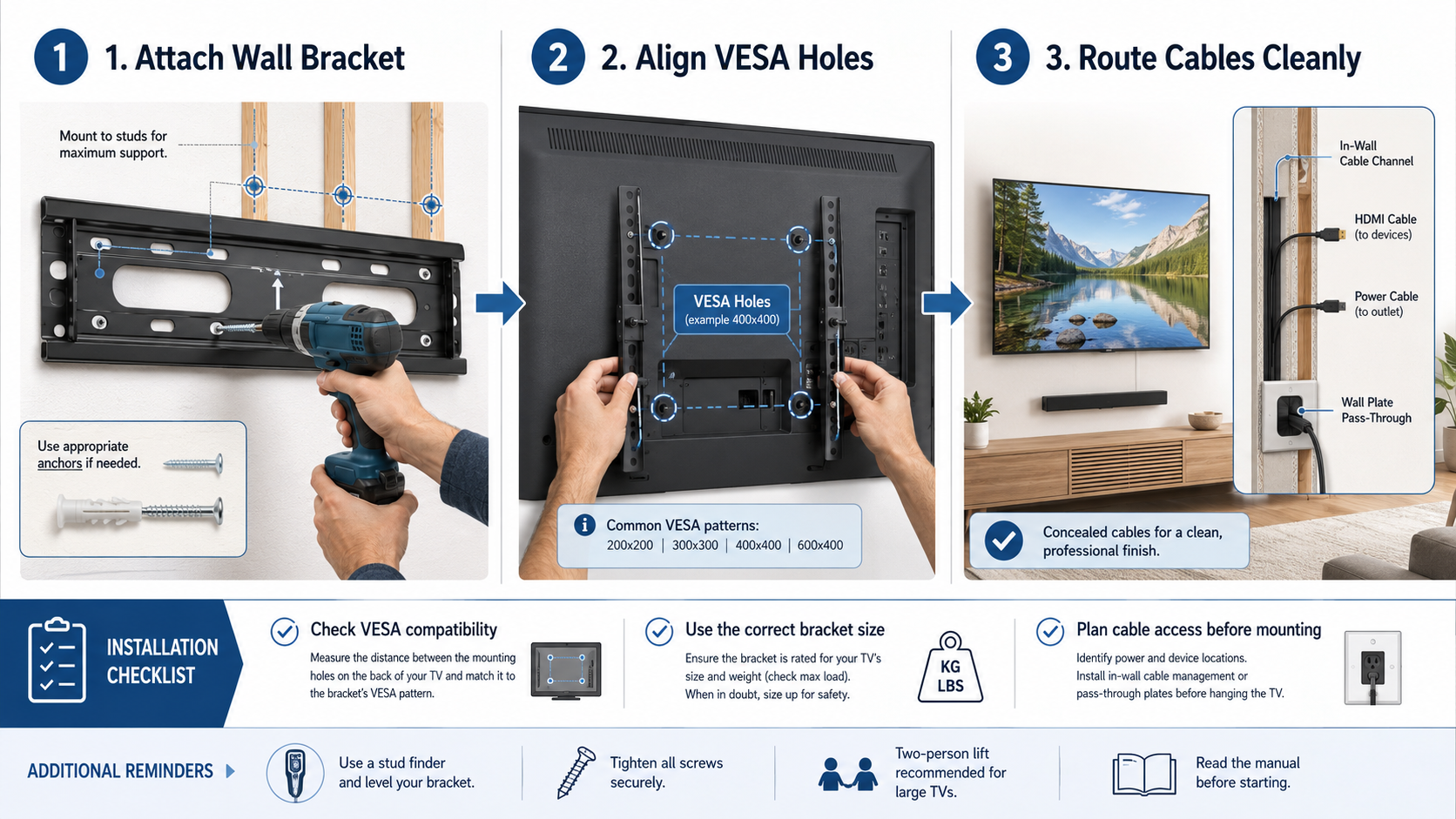
A quick note on VESA patterns: this refers to the spacing between the mounting holes on the back of your TV, measured in millimetres. Common sizes include 200 × 200 mm for smaller TVs (around 32–43 inches) and 400 × 400 mm for larger sets (around 55–75 inches), though this can vary by brand and model. Always check your TV’s spec sheet and match it against the bracket’s supported VESA range before purchasing.
When to Use Professional Installation
For larger televisions, uncertain wall structures, concealed cabling, or complex sound systems, it’s worth leaving it to the professionals rather than risking a DIY mishap.
Safety disclaimer: Always confirm wall suitability and weight limits before mounting, or consult a qualified installer.
Ready to Set Up Your New TV?
Whichever setup you choose, Senheng has you covered — browse our full range of TV wall brackets for every screen size, stock up on HDMI cables and surge protectors for a clean setup, or book our professional TV mounting services if you’d rather leave the drilling to the experts. Explore our smart TV range and find the perfect match for your new setup:
- Samsung 43″ UHD 4K AI Smart TV – A sleek metal-body design with Crystal Processor 4K upscaling, perfect if you’re after a compact wall-mount-friendly screen for a bedroom or study.
- LG 50″ QNED AI Mini LED Smart TV (2026) – Mini LED backlighting paired with Dynamic QNED Colour and the α7 AI Processor delivers richer contrast and colour, a great all-rounder for family living rooms.
- Sony 65″ BRAVIA 8 XR OLED 4K Google TV – Self-lit OLED pixels and the XR Processor bring true blacks and cinema-grade clarity, ideal for movie lovers who want their wall-mounted setup to double as a home theatre.
- TCL 75″ C8L SQD Mini LED TV – With thousands of local dimming zones and standout peak brightness, this big-screen option is built for larger living rooms where a wall mount or a sturdy stand needs to support serious screen real estate.
Final Thoughts: Which TV Setup Is Right for You?
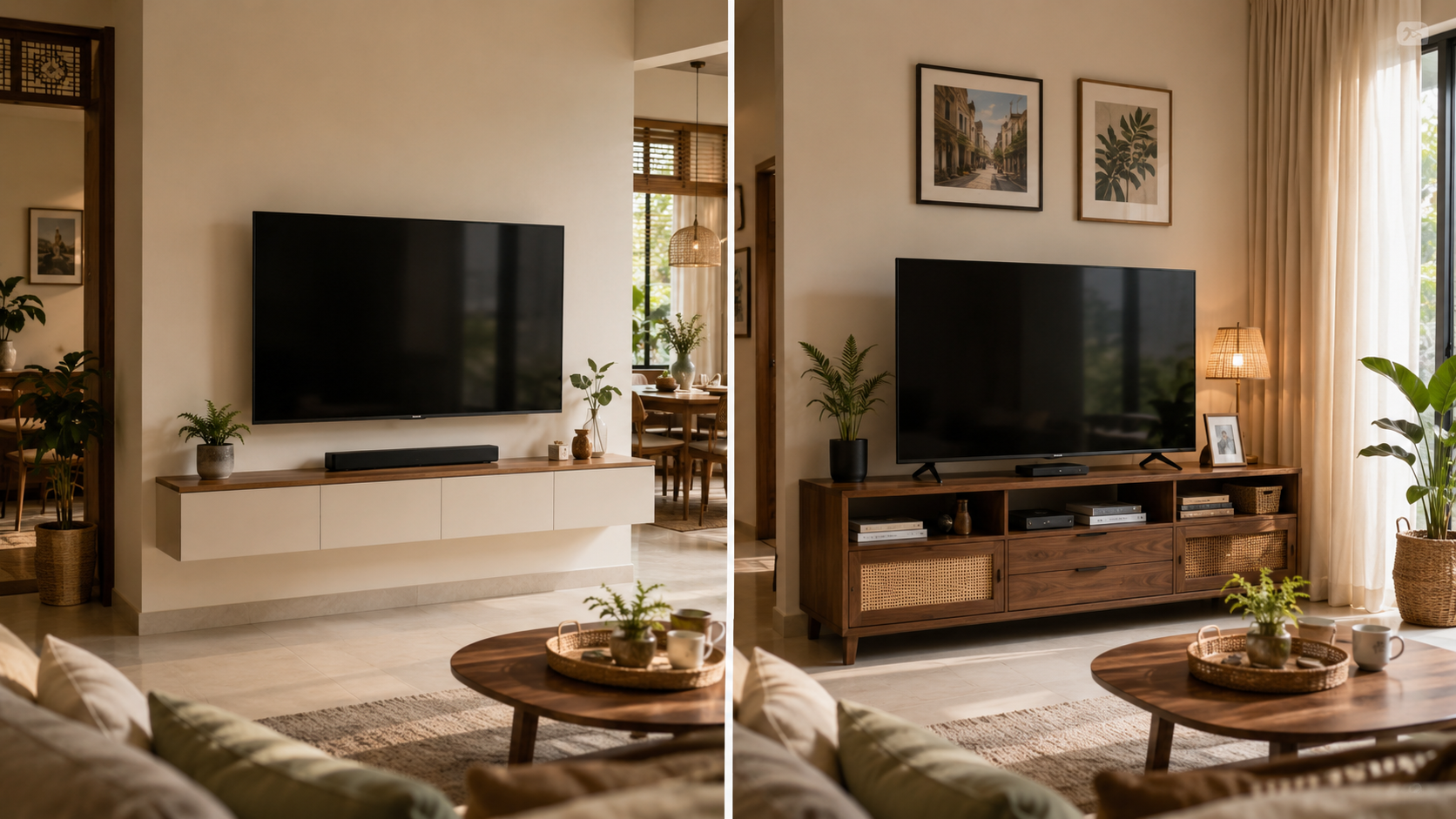
Choosing between a TV wall mount and a TV stand ultimately comes down to your space, lifestyle and priorities. A wall mount is ideal if you want to save floor space, create a clean modern look and keep your TV securely positioned, while a TV stand offers greater flexibility, easier cable access and useful storage without the need for drilling. Whichever option you choose, make sure your TV is properly supported, positioned at a comfortable viewing height and safely installed. With the right setup, you can enjoy your new TV comfortably while making the most of your living space
Frequently Asked Questions
- Is it better to mount a TV or use a stand? It depends on your space and lifestyle — wall mounts save floor space and look sleek, while stands offer flexibility and storage without drilling.
- Can every TV be wall-mounted? Most modern TVs support wall mounting if they have a VESA pattern, but always check the weight limit and wall structure first.
- How do I know which wall mount fits my TV? Match your TV’s VESA hole pattern (commonly 200 × 200 mm for smaller TVs or 400 × 400 mm for larger ones) and weight to the bracket’s specifications listed on the product page.
- How high should a TV be mounted? Aim for the screen’s centre to sit at eye level when seated — typically around 42 inches (106 cm) from the floor for a standard sofa — adjusting based on your seating height and room layout.
- Is a mobile TV stand safe? Yes, as long as you stay within the weight limit and lock the wheels once the TV is in position.