
How Many Types of TV Screens Are There? A Guide to Choosing the Right One

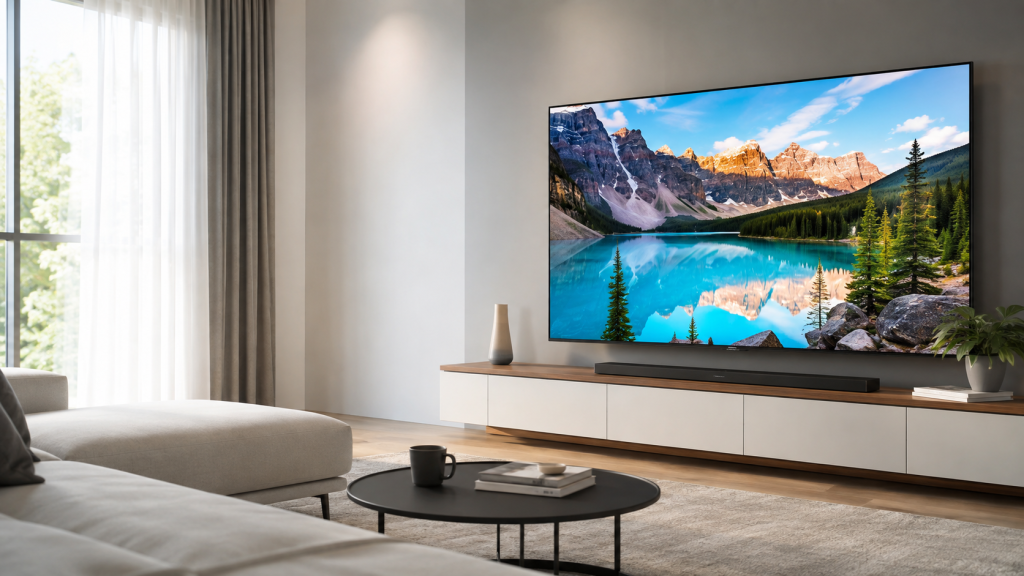
There is no single fixed number of TV screen types because some display technologies overlap. For everyday TV shopping, the four main categories to understand are LED/LCD, QLED, Mini LED and OLED.
LED TVs are generally the most accessible, QLED TVs enhance colour and brightness using quantum dots, Mini LED TVs offer more precise backlight control, while OLED TVs use self-lit pixels for deep blacks and high contrast. QLED and Mini LED are not necessarily separate technologies—a Mini LED TV can also use quantum dots.
TV Screen Type | Main Strength | Best For |
LED/LCD | Value and versatility | Everyday viewing |
QLED | Bright, vivid colours | Bright rooms, sports, general entertainment |
Mini LED | High brightness and improved contrast | Movies, HDR, large screens |
OLED | Deep blacks and pixel-level contrast | Movies, premium viewing, gaming |
Looking for a new TV? Browse TVs at Senheng and compare different screen technologies, sizes and smart features. Senheng's current range includes TVs spanning technologies such as OLED, QLED and other LED-based displays.
Why Understanding TV Screen Types Matters
Buying a TV used to be mostly about choosing a screen size. Today, shoppers also encounter terms such as LED, QLED, OLED, and Mini LED
These names can make choosing a TV seem more complicated than it needs to be.
The important thing to understand is that not every label describes a completely separate type of display. For example, QLED uses an LCD panel with an LED backlight and a quantum-dot layer, while Mini LED refers to using much smaller LEDs for the backlight. The two technologies can therefore be combined in the same TV.
Once you understand how each screen works, it becomes much easier to choose a TV based on your room, viewing habits and budget.
What Are the Main Types of TV Screens?
For most buyers, there are four key TV display categories worth understanding:
LED/LCD
QLED
Mini LED
OLED
The main difference is how each TV creates and controls light.
LED vs QLED vs Mini LED vs OLED: What's the Difference?
Here is the easiest way to compare the main TV screen types.
Feature | LED/LCD | QLED | Mini LED | OLED |
Light Source | LED backlight | LED backlight | Smaller LED backlight | Self-lit pixels |
Quantum Dots | Usually no | Yes | May be included | Depends on OLED type |
Brightness | Good | Very good | Excellent on suitable models | Very good on premium models |
Black Levels | Standard | Good | Very good | Excellent |
Contrast | Good | Good to very good | Very good | Excellent |
Bright Room | Good | Very good | Excellent | Good to excellent depending on model |
Dark Room | Good | Good | Very good | Excellent |
Typical Price Position | Entry to mid-range | Mid to premium | Mid to premium | Premium |
Best For | Everyday viewing | Bright, colourful viewing | HDR and large screens | Movies and high-contrast viewing |
Important: These are general characteristics, not guarantees. Individual TV performance varies according to the panel, backlight system, processor, local dimming, peak brightness and other model-specific features.
Which TV Screen Is Best for a Bright Living Room?
A QLED or Mini LED TV is often a strong choice for a bright room.
Both technologies can provide high brightness, while Mini LED can offer more precise backlight control on suitable models.
This makes them worth considering for:
Living rooms with large windows
Rooms receiving daytime sunlight
Family entertainment
Sports viewing
HDR content
Samsung's comparison of Mini LED and QLED highlights their strong performance in bright environments, with Mini LED benefiting from more precise backlight control.
However, modern premium OLED TVs have also become significantly brighter, so do not automatically rule out OLED for brighter rooms. Compare the actual brightness and anti-reflection specifications of the model you are considering.
Recommended QLED and Mini LED TV
Hisence 65″ 4K QLED VIDAA TV Q6Q Series
TCL 65″ C6K Premium QD-MiniLED TV
Which TV Screen Is Best for Watching Movies?
For movie lovers, OLED and Mini LED are both strong choices, but they deliver their strengths differently.
OLED for Deep Blacks
OLED can switch individual pixels off completely.
This makes dark scenes appear particularly deep and can create strong contrast in movies watched in a dim or dark room.
Recommended OLED TV
LG 65″ OLED evo AI C6 4K Smart TV (2026)
Mini LED for Bright HDR
Mini LED uses precise backlight control while maintaining high brightness.
This can make bright highlights in HDR movies particularly impactful while still providing improved control over darker parts of the image compared with conventional LED backlighting.
Recommended Mini LED TV
Hisence 65″ U6SE Mini LED UHD/4K VIDAA Smart TV
Which TV Screen Is Best for Gaming?
Screen technology is important for gaming, but it should not be your only consideration.
Gamers should also look for:
120Hz or higher refresh rate
HDMI 2.1 where required
Variable Refresh Rate (VRR)
Auto Low Latency Mode (ALLM)
Low input lag
Compatible gaming features
A 120Hz display refreshes the picture twice as frequently as a standard 60Hz screen, which can provide smoother motion when supported by the game and connected device.
OLED can be particularly attractive for gaming because of its fast pixel response and high contrast, while premium Mini LED and QLED televisions may also offer high refresh rates, VRR and other gaming features.
Rather than choosing based on screen type alone, check the specifications of the individual TV.
Recommended OLED TV
LG 65″ OLED evo AI C6 4K Smart TV (2026)
Which TV Screen Is Best for Watching Sports?
For sports, prioritise:
Brightness
Motion handling
Refresh rate
Screen size
Viewing angle
QLED and Mini LED TVs can be particularly suitable for sports in bright family living rooms because of their strong brightness.
Higher-refresh-rate TVs may also provide smoother-looking motion during football, badminton, racing and other fast-moving sports.
If several people watch from different positions around the living room, also compare the viewing angle of the TV.
Recommendation QLED and Mini LED TV
Skyworth 65″ QLED+ Eye Care Series Google TV SUE8200
Hisence 65″ U6SE Mini LED UHD/4K VIDAA Smart TV
Which TV Screen Is Best for Everyday Viewing?
You do not necessarily need the most expensive screen technology for news, YouTube, dramas and casual streaming.
A good LED/LCD or QLED TV can provide an excellent everyday viewing experience.
Consider spending more on Mini LED or OLED when picture quality is a higher priority, especially if you:
Watch many movies
Stream HDR content
Play games frequently
Want a premium large-screen setup
Care strongly about black levels and contrast
The right choice depends on how you actually use your TV.
Recommended LED and QLED TV
Sony 65″ BRAVIA 7 II | RGB LED | 4K HDR Smart TV | XR Processor with AI
Skyworth 65″ QLED+ Eye Care Series Google TV SUE8200
How to Choose the Right TV Screen Type
Choosing the right television becomes simpler when you work through these steps.
Step 1: Consider Your Room Lighting
Bright room:
Consider QLED or Mini LED for strong brightness.
Dim or dark room:
OLED can be particularly attractive for its deep blacks and contrast.
Mixed lighting:
Compare the actual brightness and reflection handling of individual models.
Step 2: Decide What You Watch Most
Everyday TV and streaming:
LED or QLED may be sufficient.
Movies:
OLED or Mini LED.
Sports:
QLED or Mini LED with strong motion handling and a higher refresh rate.
Gaming:
OLED, Mini LED or QLED with suitable gaming specifications.
Step 3: Choose the Right TV Size
Do not focus so heavily on screen technology that you choose the wrong screen size.
Viewing distance, room dimensions and furniture layout should also guide your decision.
A larger LED or QLED TV may sometimes give you a more enjoyable experience than buying a smaller premium TV simply to obtain a particular display technology.
Step 4: Check the Resolution
For most modern TV purchases, 4K provides a strong combination of image detail and available content.
8K may be worth considering for selected premium or very large-screen setups.
Step 5: Compare Refresh Rate and Gaming Features
If you watch sports or play games, compare:
60Hz vs 120Hz+
VRR
ALLM
HDMI specifications
Input lag
Do not assume every OLED, QLED or Mini LED television has the same gaming performance.
Step 6: Set Your Budget
Think about which features actually improve your viewing experience.
A simple decision hierarchy can be:
Correct TV Size → Suitable Screen Technology → 4K/8K Resolution → Refresh Rate → Smart Features
This helps prevent paying for technology you may rarely use.
Which TV Screen Should You Choose?
Use this quick guide:
Your Priority | TV Type to Consider |
Affordable everyday TV | LED/LCD |
Bright and colourful picture | QLED |
Bright living room | QLED / Mini LED |
Premium HDR viewing | Mini LED / OLED |
Deep blacks | OLED |
Movie nights | OLED / Mini LED |
Sports | QLED / Mini LED |
Gaming | OLED / Mini LED / gaming-focused QLED |
Large premium screen | Mini LED / QLED |
General family entertainment | QLED / LED |
There is no single screen type that is automatically best for everyone.
The best TV is the one that fits your room, content, budget and preferred viewing experience.
Further Reading
Want to learn more before choosing your next TV?
Conclusion: Which TV Screen Type Is Right for You?
Choosing between the different types of TV screens becomes much easier once you understand what each technology does. LED/LCD is a practical choice for everyday viewing, QLED provides bright and vivid colours, Mini LED offers stronger backlight control and premium brightness, while OLED delivers self-lit pixels with deep blacks and high contrast.
Instead of choosing based only on the newest technology name, consider your room lighting, viewing habits, screen size, gaming needs and budget.
Ready to find your next TV? Explore TVs at Senheng and compare LED, QLED, Mini LED, OLED and other display technologies for your home.